


Withdraw Your Winnings on the ICROWN Withdrawal Page
A Complete Guide to Requesting Withdrawals on ICROWN
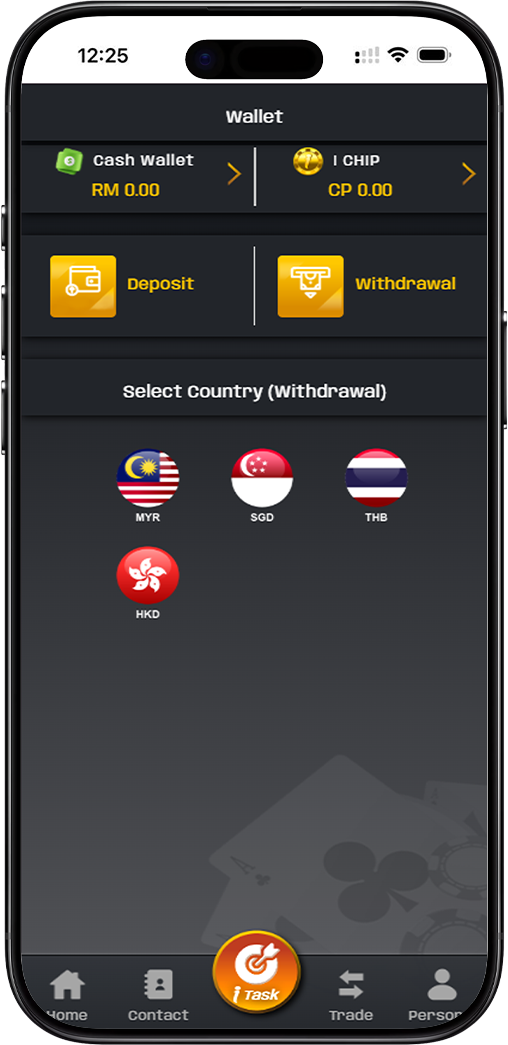
The ICROWN withdrawal page is designed for a secure and straightforward process to transfer your winnings from your cash wallet to your personal bank account. Understanding the steps, limits, and requirements ensures a smooth transaction. This guide provides all necessary details for a successful payout request.
Step-by-Step Guide to Making an ICROWN Withdrawal
Step 1: Access the Withdrawal Section and Verify Balance
Log into your ICROWN account and navigate to the wallet or cashier section. Click on the 'Withdrawal' button. You will be directed to the withdrawal interface where your current cash wallet balance in your selected currency (e.g., MYR) is displayed. Ensure you have sufficient funds for withdrawal.
Step 2: Select Your Withdrawal Method and Bank Account
ICROWN primarily offers bank transfers for withdrawals. On the withdrawal page, under 'Select Bank,' choose the bank account you have previously bound to your profile. If you haven't added an account, you will need to bind it first in your account settings. The page also mentions options like 'QR Transfer' and 'Contact Person,' which may be alternative methods depending on regional availability.
Step 3: Enter Withdrawal Amount and Check Turnover
Enter the amount you wish to withdraw in the 'Withdrawal amount (MYR)' field. The system will display your current 'Turnover' amount, which represents the total wagered amount. Some bonuses or promotions may require you to meet a specific turnover multiple before funds can be withdrawn. Ensure any such conditions are satisfied.
Step 4: Review Limits and Confirm Withdrawal Details
Carefully note the transaction limits: - Minimum Withdrawal: MYR 100.00 - Maximum Withdrawal (Single Transaction): MYR 30,000.00 - Daily Withdrawal Limit: 3 free withdrawals per day. The counter shows your current usage (e.g., "Currently withdrawing funds 0 Times"). Exceeding this limit incurs a 3% handling fee on subsequent requests.
Step 5: Authorize and Submit Request
For security, enter your unique 'Withdrawal password' (set during registration or in security settings) in the designated field. Review all entered information: bank account, amount, and fees. Finally, click the 'Confirm Withdrawal' button to submit your request for processing by the ICROWN finance team.
Understanding ICROWN Withdrawal Policies and Processing
Familiarizing yourself with the platform's rules helps manage expectations and avoid unnecessary fees or delays.
Daily Withdrawal Limits and Handling Fees
ICROWN allows up to three withdrawal requests per day without any additional charge. This policy helps manage transaction volume. If you need to make a fourth or subsequent withdrawal on the same day, a 3% handling fee will be applied to that transaction amount. Plan your withdrawals accordingly to maximize efficiency.
Turnover Requirements and Bonus Funds
The displayed 'Turnover' figure is crucial if you have claimed bonuses. Many promotional offers require players to wager the bonus amount (or deposit plus bonus) a certain number of times (e.g., 10x or 20x) before the funds become eligible for withdrawal. Always check the specific terms of any bonus you activate.
Processing Time and Verification
After submission, your request enters a verification queue. ICROWN's finance team processes withdrawals, which may take from a few hours to one business day. Processing times can be longer during weekends or public holidays. You will receive a notification once the transaction is approved and initiated.
Tips for a Smooth ICROWN Withdrawal Experience
Follow these best practices to ensure your cash-out process is hassle-free and secure.
Ensure Your Bank Account is Correctly Bound
Before your first withdrawal, ensure you have successfully added and verified your personal bank account details in the 'Bank Account' section of your profile. Incorrect details will cause transaction failures and delays.
Monitor Your Daily Withdrawal Count
Keep track of how many withdrawals you have made within the 24-hour period to avoid the 3% handling fee. The withdrawal page counter is your best reference.
Keep Your Withdrawal Password Secure
Your withdrawal password is a key security feature. Never share it with anyone. If you forget it, use the account recovery process to reset it via customer support.
Secure Your Winnings on ICROWN Today
Ready to cash out? Follow the clear steps above to request a secure bank transfer of your funds. Remember to check your turnover and daily limits for an optimal withdrawal experience.